Sarai Garcia

Chick-Fil-A Product Development

Overview

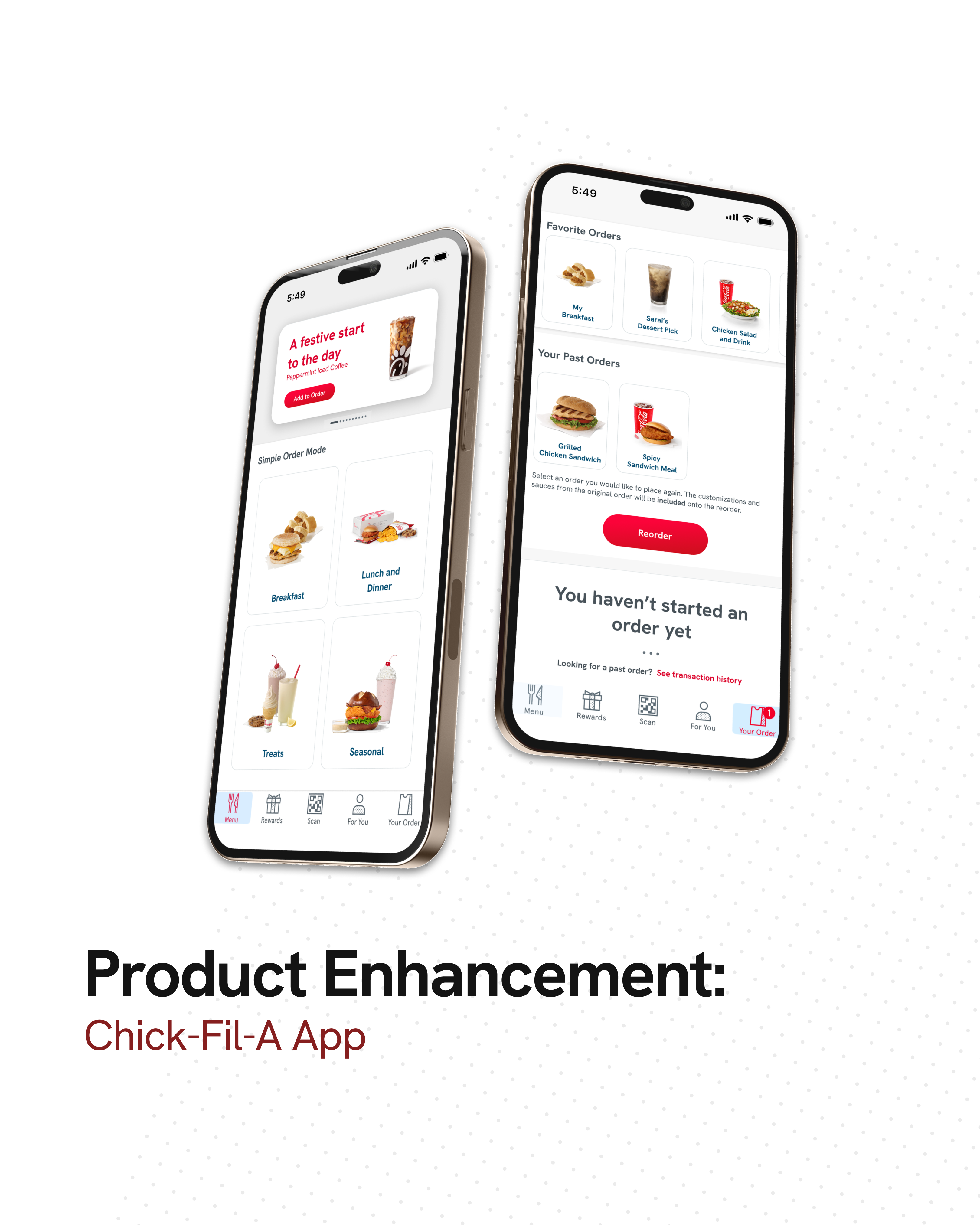
Redesigned the Chick-fil-A app to improve accessibility for users with mobility limitations by simplifying the ordering experience, reducing steps, and enabling faster repeat orders through a “Simple Order Mode.”

Role

Lead UX/UI Designer

Project Scope

  • Wireframing
  • Branding
  • App Design

Problem

  • The current Chick-fil-A app creates friction for users with mobility limitations due to multi-step ordering flows, small touch targets, and repetitive interactions.
  • These barriers can make completing a simple order frustrating or physically difficult for some users.

Process:

  • User Research
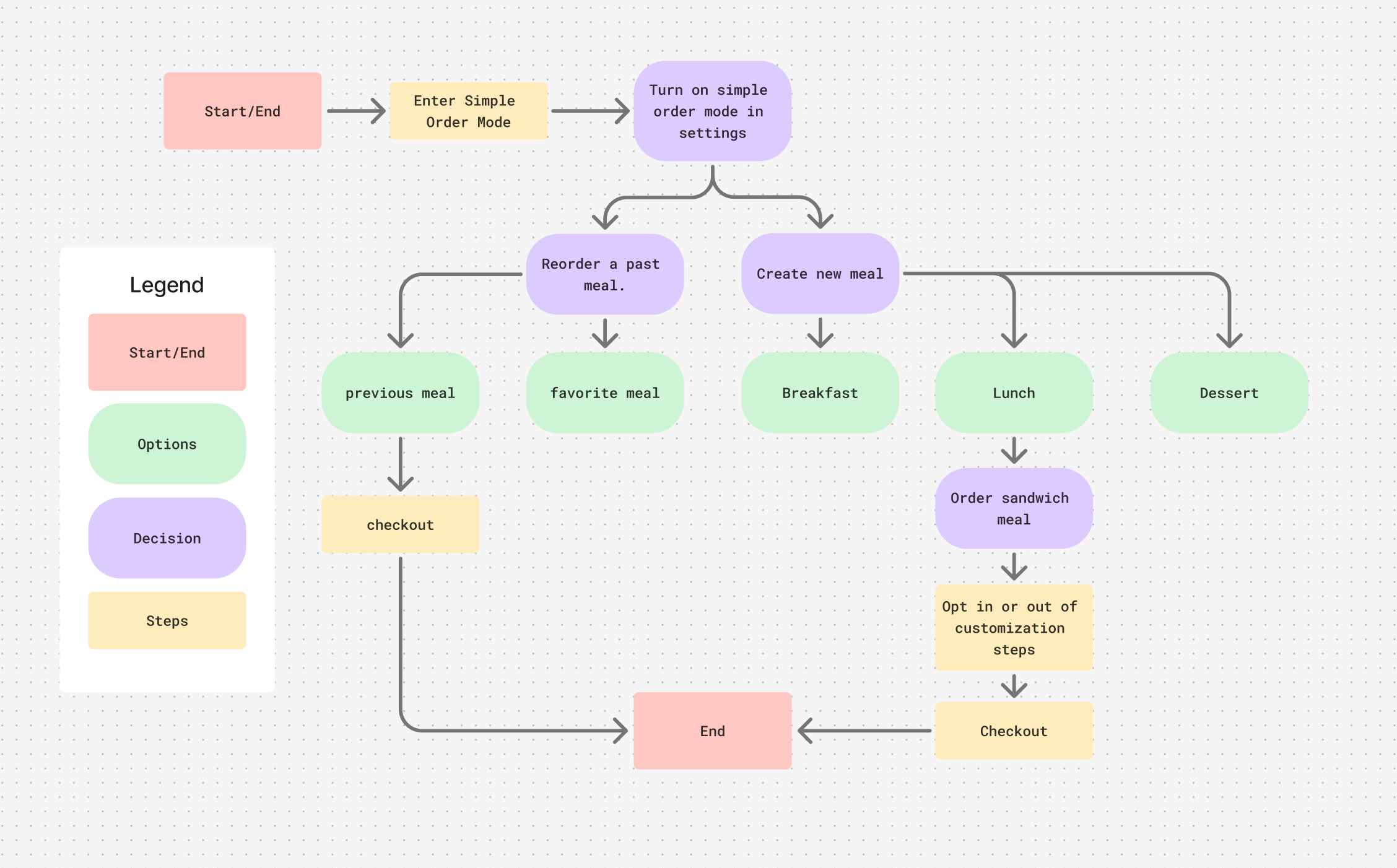
  • User Flow
    • Showing reduced steps with reorder as an option.
  • Persona Development
  • Style Guide Research
  • Wireframing
  • Prototyping

User Flow:

Research

  • Key Insights
    • Small touch targets and multi-step flows create friction for users with limited mobility
    • Repetitive interactions increase physical effort and reduce usability
    • Low contrast and small text sizes impact accessibility for low-vision users

This persona guided design decisions by emphasizing the need to reduce physical effort and simplify repeated interactions.

Persona:

  • Name: Lilly Thompson
  • Age: 22
  • Background: Senior in College, mobility issues
  • Goals: using items with as little steps as possible
  • Frustrations / Pain Points: repeated hand movements make mobility harder/reduces phone usage due to movement issues
  • Relevant behaviors or habits: enjoys being outside of the house, enjoys using deals, uses apps for most purchases
  • Why this user needs your new feature: Struggles with hand mobility, the screens are too many steps for a meal.

Design Solution: Simple Order Mode

Feature Description

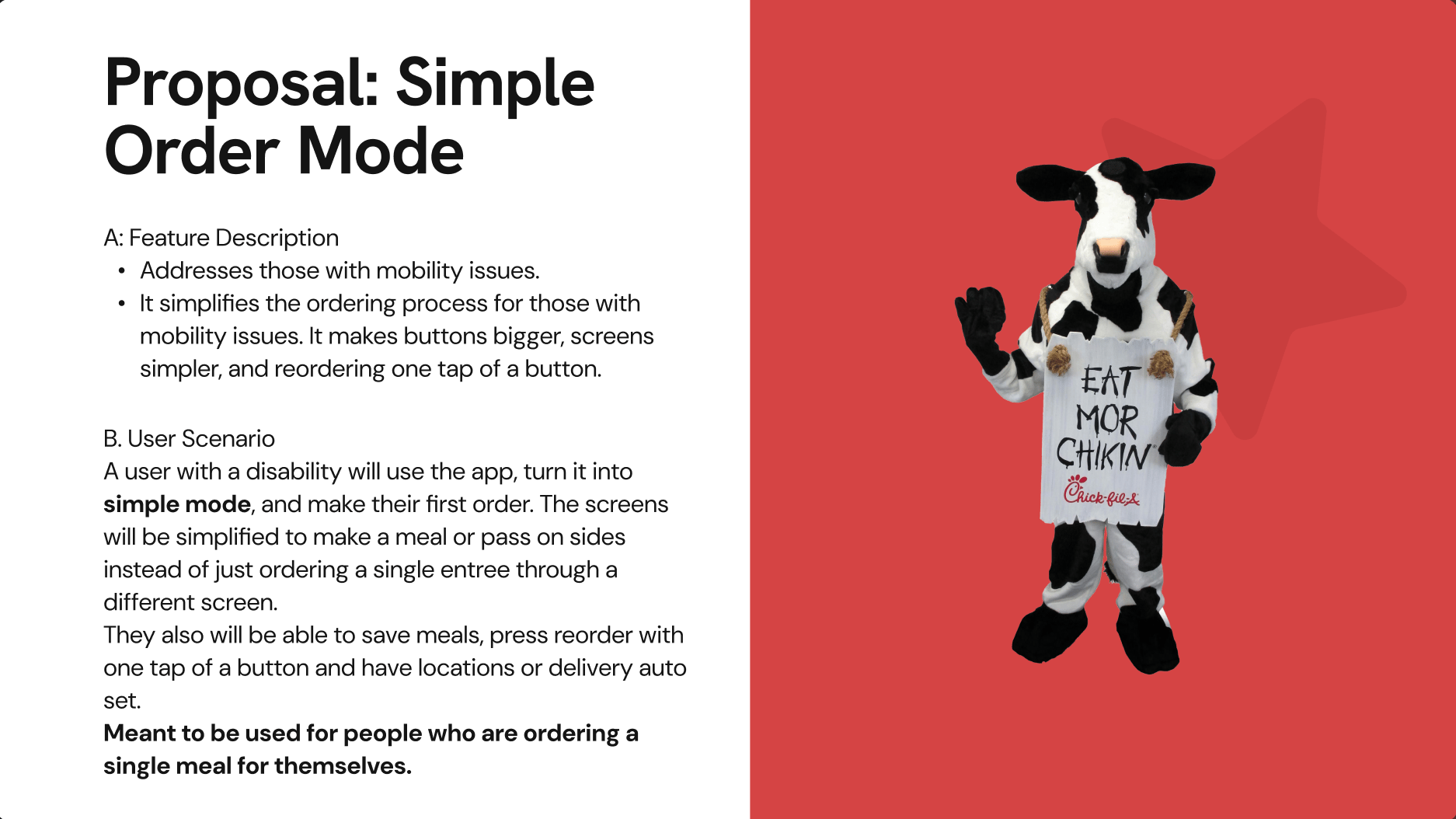
  • Addresses those with mobility issues.
  • It simplifies the ordering process for those with mobility issues. It makes buttons bigger, screens simpler, and reordering one tap of a button.

User Scenario

  • A user will use the app, turn it into simple mode, and make their first order. The screens will be simplified to make a meal or pass on sides instead of just ordering a single entree through a different screen. Meant to be used for people who are ordering a single meal for themselves.
  • They also will be able to save meals, press reorder with one tap of a button and have locations or delivery auto set.

This solution improves accessibility by minimizing repeated interactions and simplifying navigation, making the app more usable for a wider range of users.
Wireframing

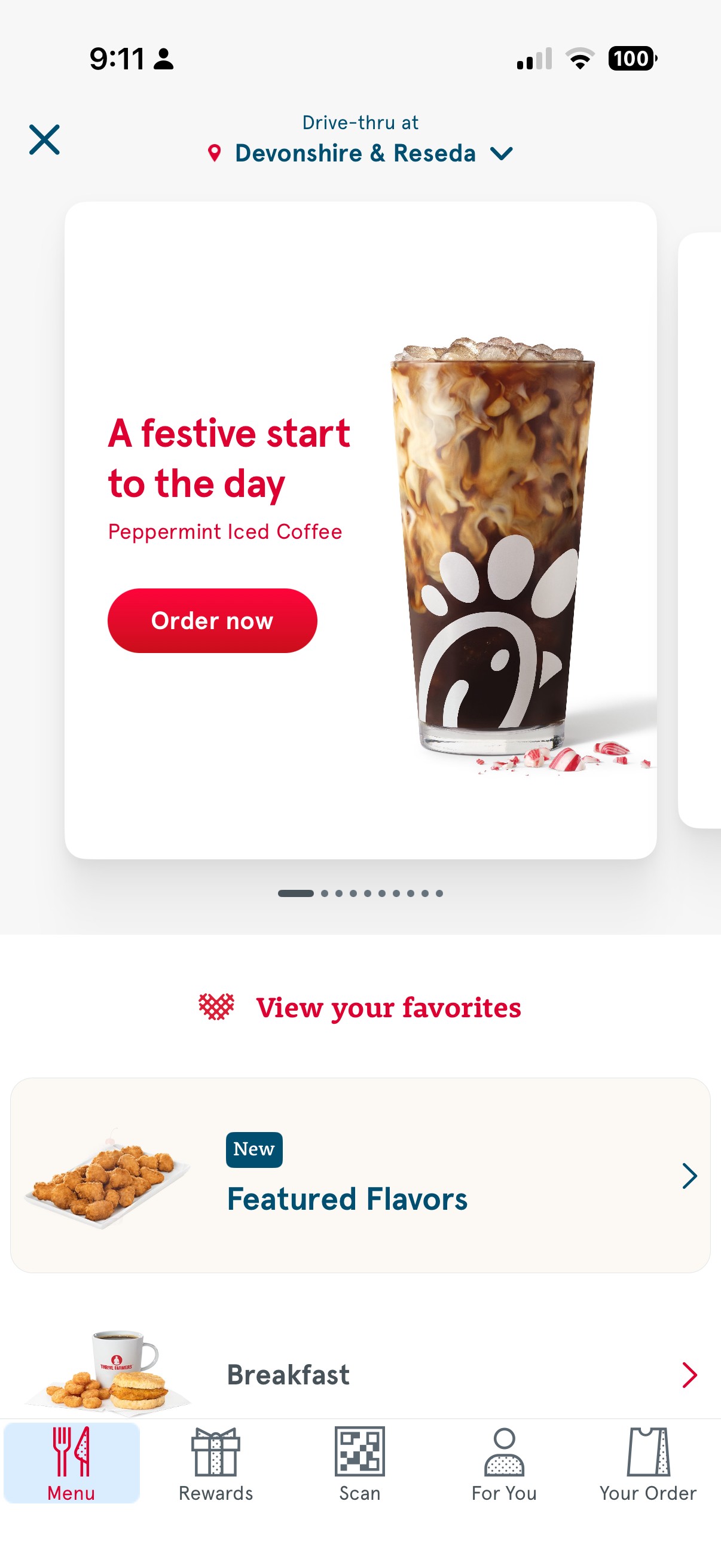
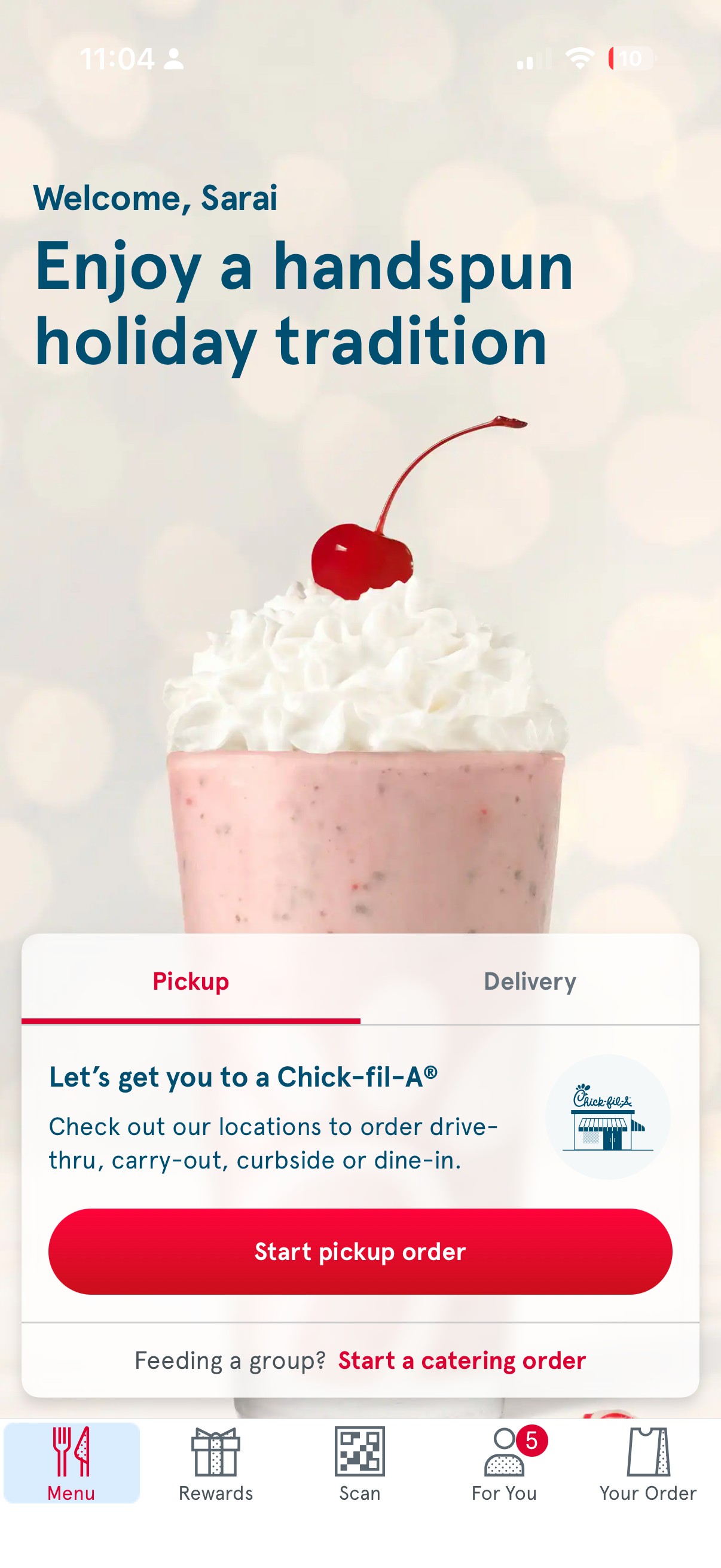
  • Home Page
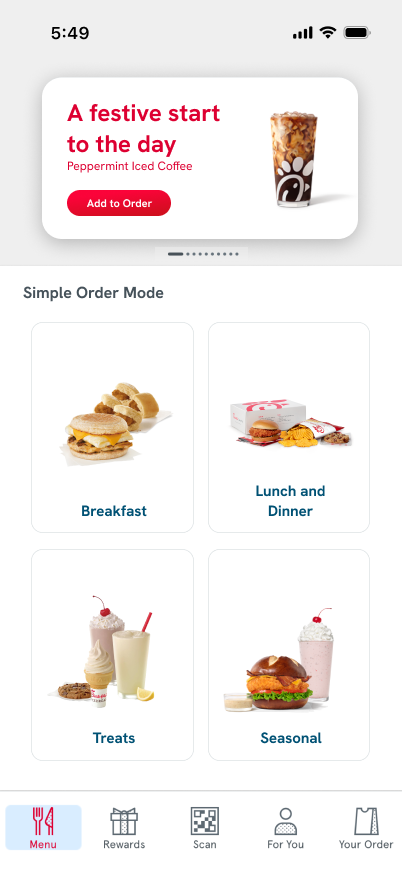
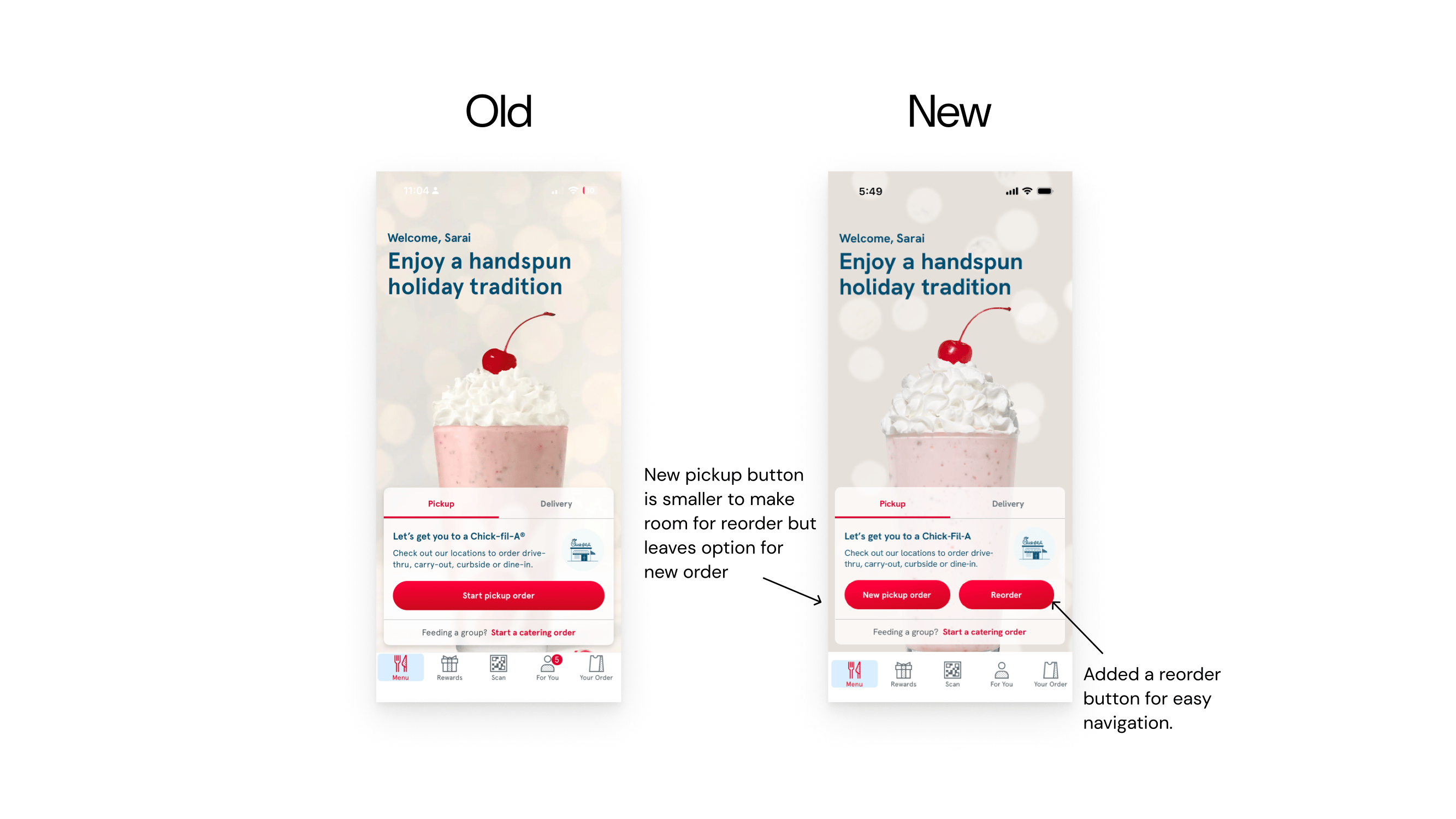
    • Added a new button for reorder
      • Reduces repeated interactions and simplify the ordering process for users with limited mobility.
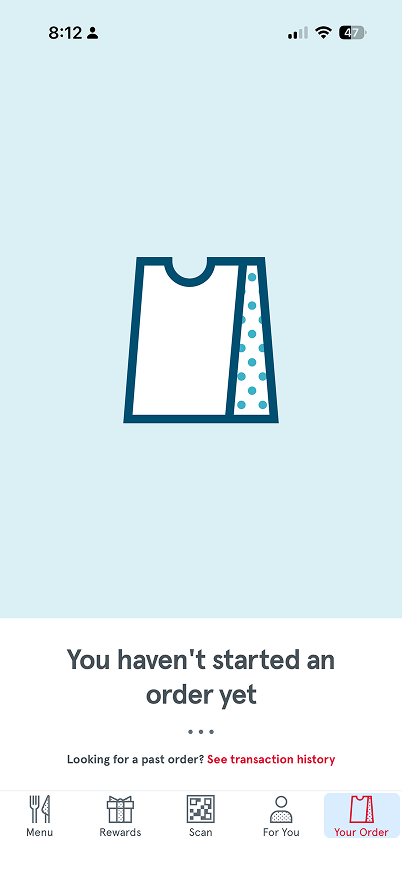
  • Your Order Page
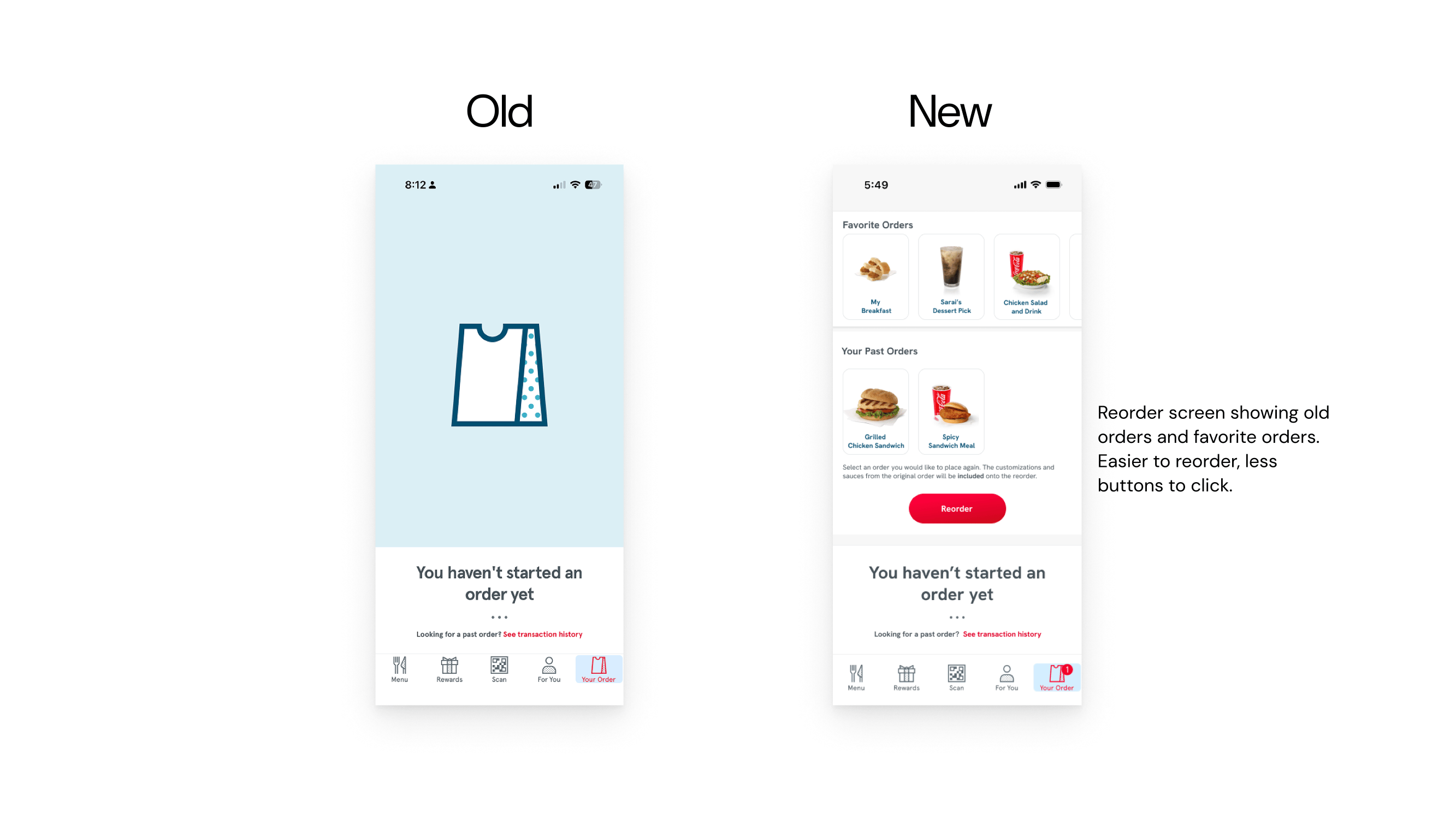
    • Features past orders and favorited orders, so people can easily order.
    • Aids those with mobility issues by requiring less steps to order their food.
  • Order Screen
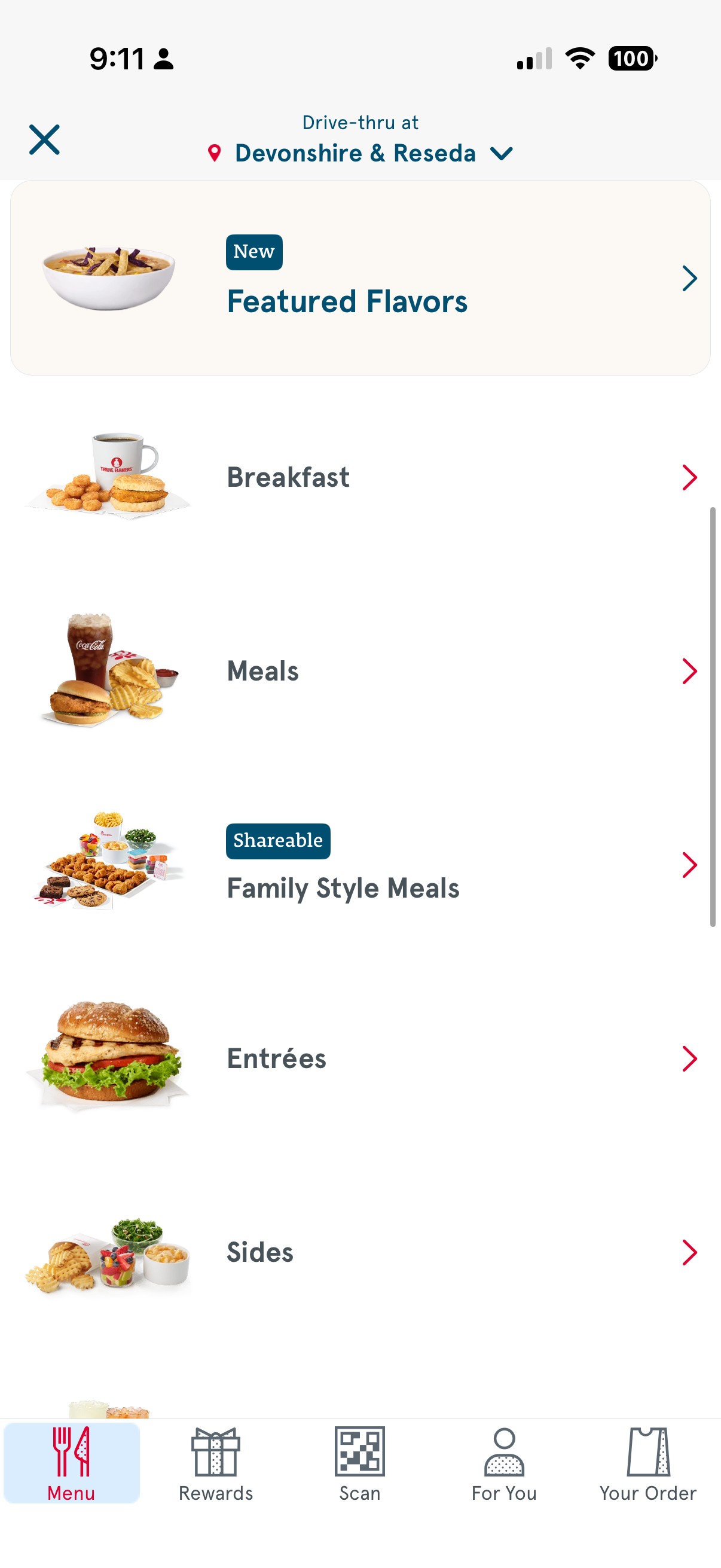
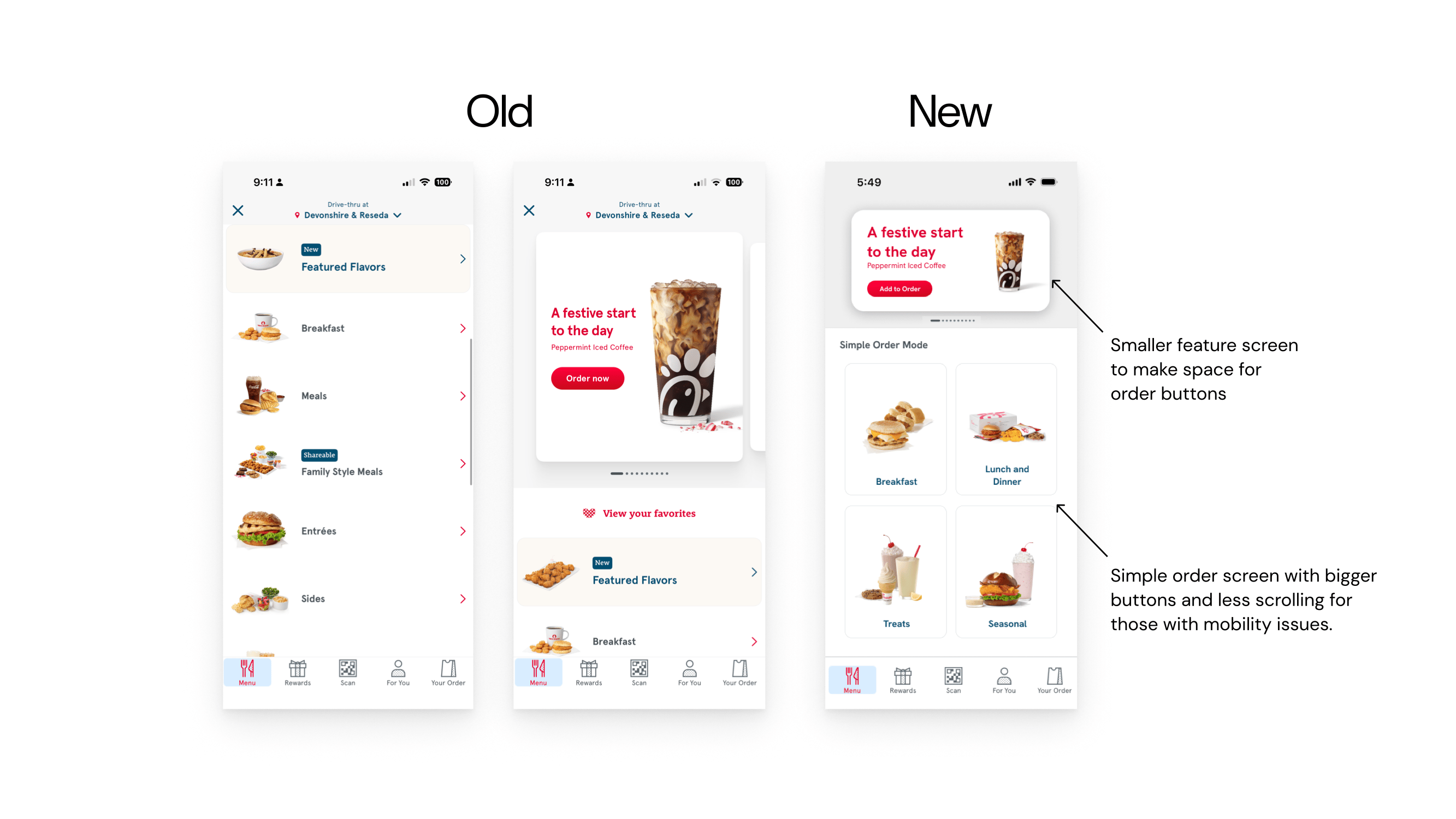
    • Shrank the header image to 1/3 of the screen to prevent scrolling for those creating a new order.
    • Instead of rows, categories are now tiles with images to easily see items.
    • Tiles show images for people who may have low vision and are unable to read the text.
    • Opt out of scrolling through customization options with one click.

Home Page
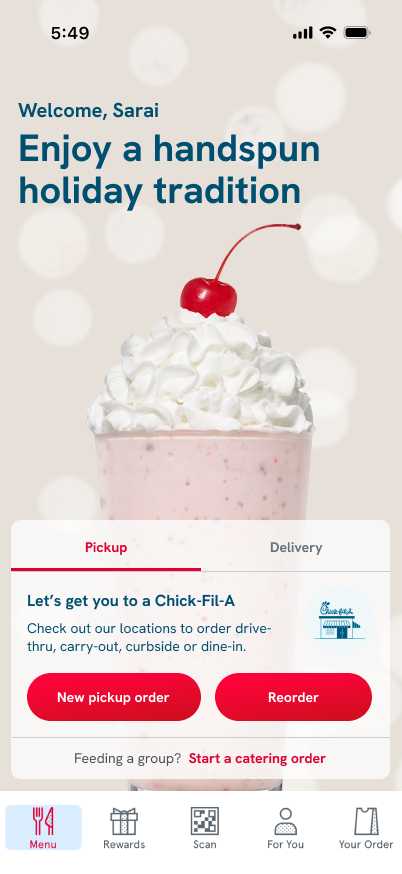
Added a reorder button for easy navigation.

New pickup button is smaller to make room for reorder but leaves option for new order

New

Your Order Page

Order Screen

Old
Simple order screen with bigger buttons and less scrolling for those with mobility issues.

Smaller feature screen to make space for order buttons

New
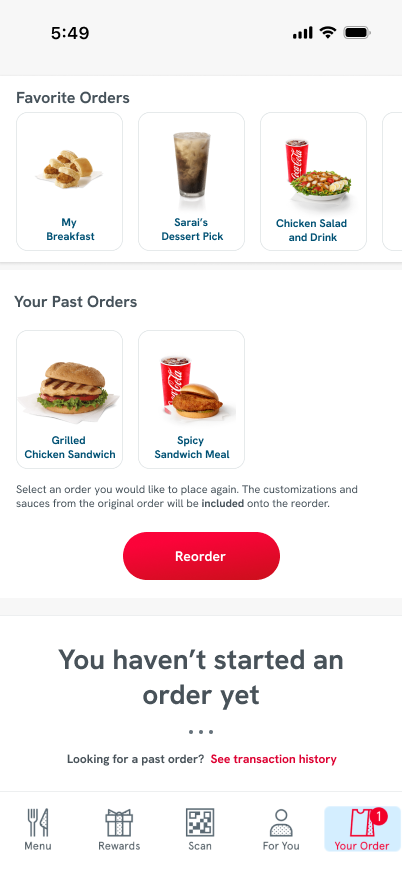
Reorder screen showing old orders and favorite orders. Easier to reorder, less buttons to click.

New
Old

Old
Finished Product
Branding/Design System

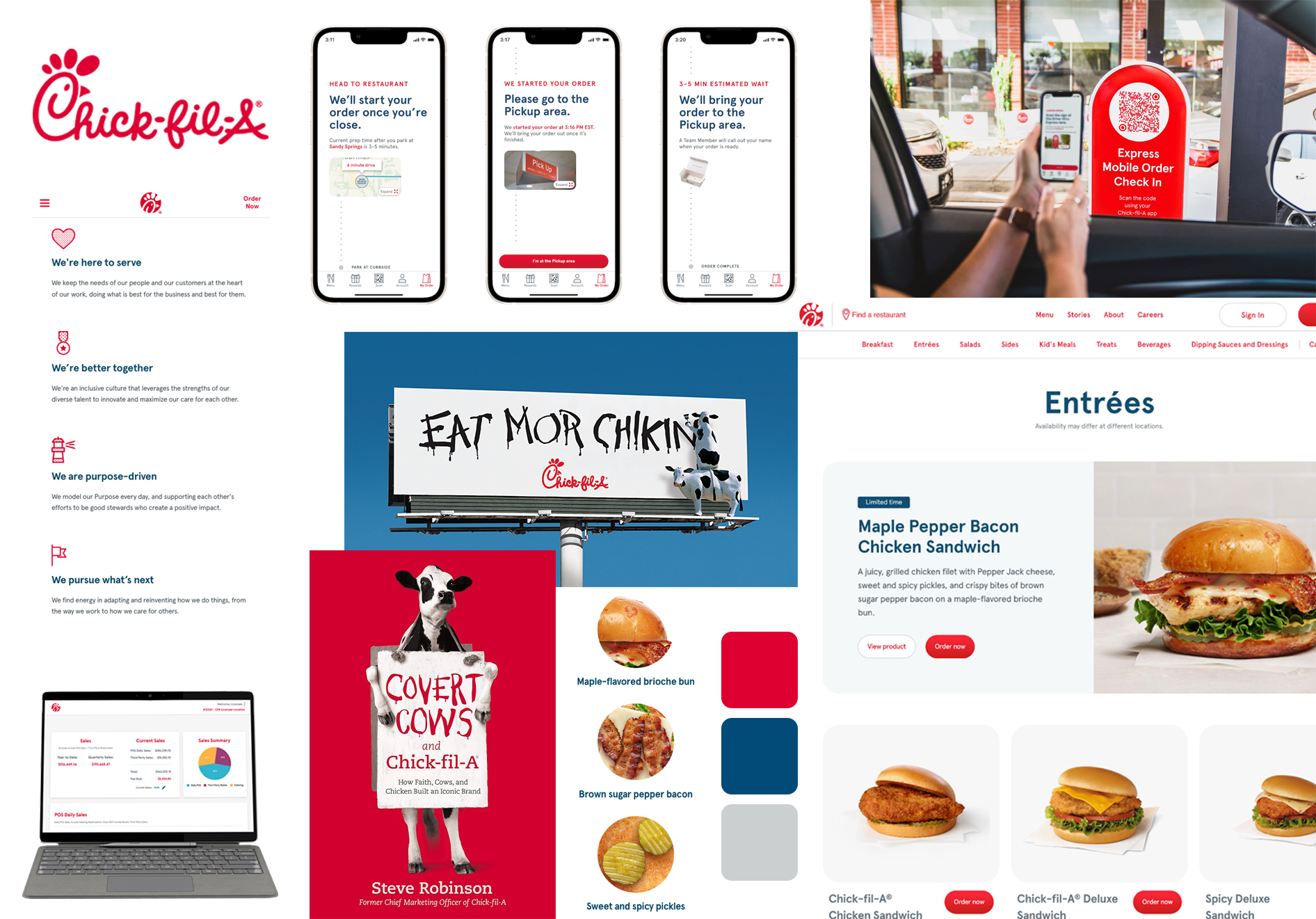
The Design System

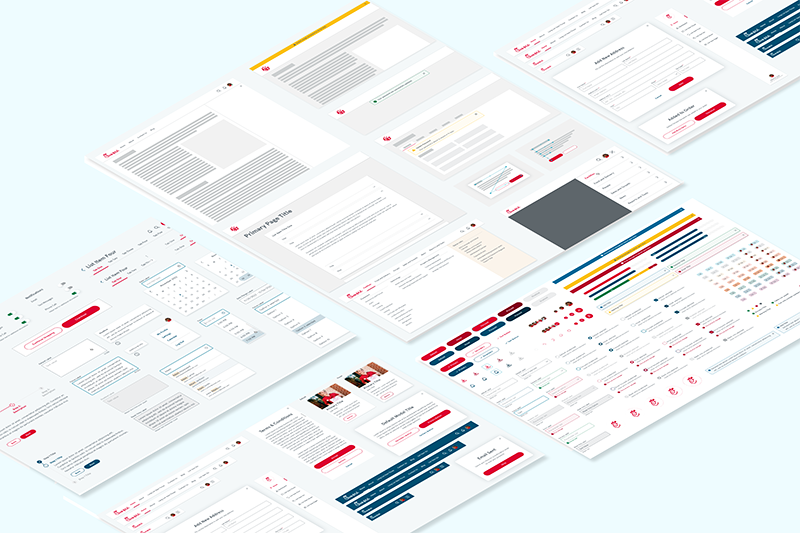
Chick-Fil-A UI Design system was referenced to recreate the UI for the Chick-Fil-A one app. The reference was a portfolio piece by AK Product Design.

chick fil a UI styles

Impact

Chick-Fil-A Simple Order Mode allows users to

  • Navigate screens with ease, with minimal hand movement and scrolling
  • Transition in and out of simple order mode to allow usage for users of all kinds
  • Simplifies the process of ordering for a person that may have trouble navigating.
  • Streamlined repeat ordering into a single interaction

Reflections / Considerations

This new feature that I created for the Chick-Fil-A app allowed me to understand an app from another user’s perspective. I was able to create a new feature and stick to the UI that currently exists within the app.

This project strengthened my ability to design for accessibility and adapt existing design systems to support a wider range of users.

Back to Top

Reach out to me! @saraisstudio

Chick-Fil-A Product Development

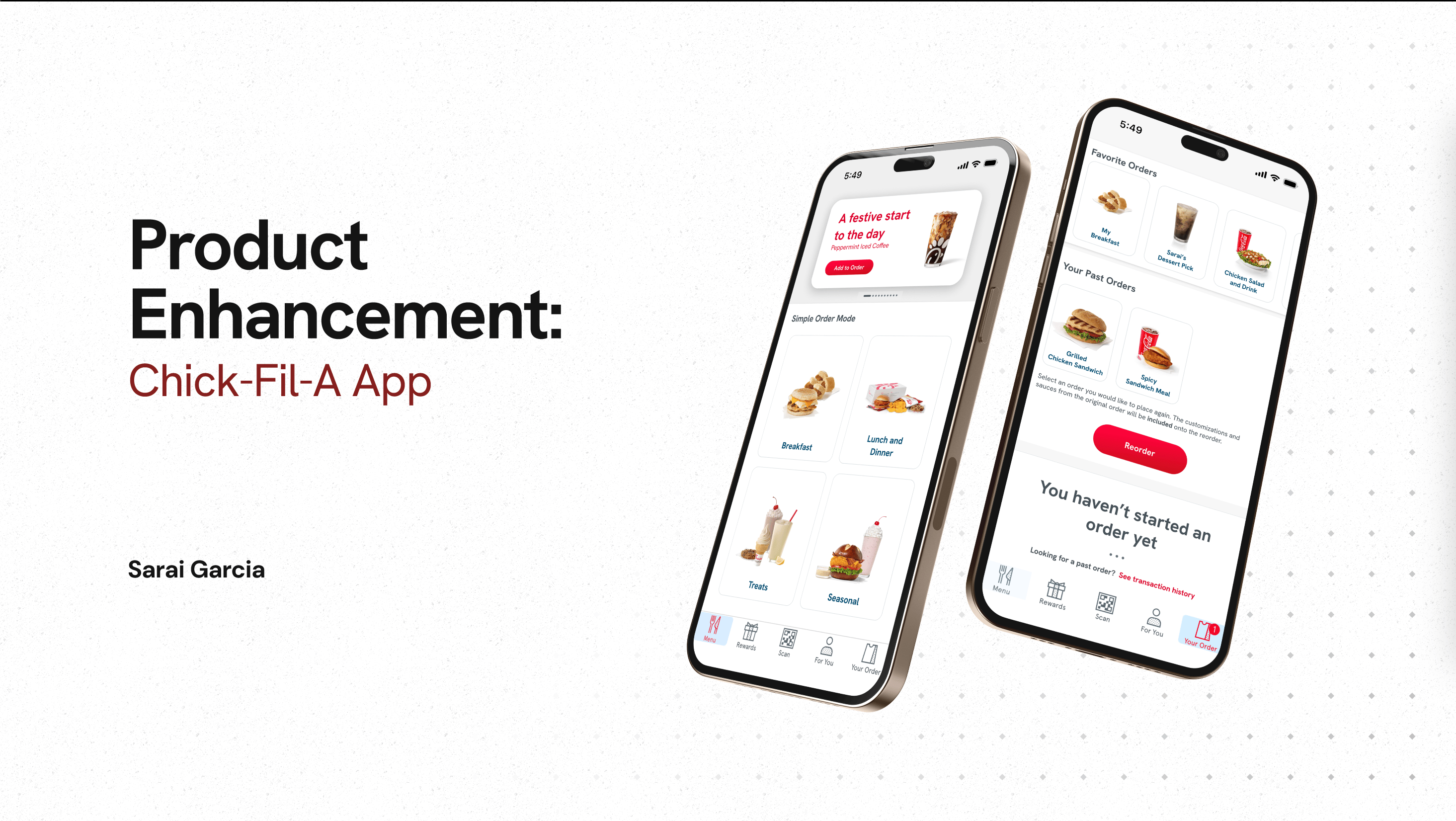
image of phone displaying a new feature: simple order mode

Overview

Redesigned the Chick-fil-A app to improve accessibility for users with mobility limitations by simplifying the ordering experience, reducing steps, and enabling faster repeat orders through a “Simple Order Mode.”

Role

Lead UX/UI Designer

Project Scope

  • Wireframing
  • Branding
  • App Design

Problem

  • The current Chick-fil-A app creates friction for users with mobility limitations due to multi-step ordering flows, small touch targets, and repetitive interactions.
  • These barriers can make completing a simple order frustrating or physically difficult for some users.

Process:

  • User Research
  • User Flow
    • Showing reduced steps with reorder as an option.
  • Persona Development
  • Style Guide Research
  • Wireframing
  • Prototyping

User Flow:

Research

  • Key Insights
    • Small touch targets and multi-step flows create friction for users with limited mobility
    • Repetitive interactions increase physical effort and reduce usability
    • Low contrast and small text sizes impact accessibility for low-vision users

This persona guided design decisions by emphasizing the need to reduce physical effort and simplify repeated interactions.

Persona:

  • Name: Lilly Thompson
  • Age: 22
  • Background: Senior in College, mobility issues
  • Goals: using items with as little steps as possible
  • Frustrations / Pain Points: repeated hand movements make mobility harder/reduces phone usage due to movement issues
  • Relevant behaviors or habits: enjoys being outside of the house, enjoys using deals, uses apps for most purchases
  • Why this user needs your new feature: Struggles with hand mobility, the screens are too many steps for a meal.

Design Solution: Simple Order Mode

Feature Description

  • Addresses those with mobility issues.
  • It simplifies the ordering process for those with mobility issues. It makes buttons bigger, screens simpler, and reordering one tap of a button.

User Scenario

  • A user will use the app, turn it into simple mode, and make their first order. The screens will be simplified to make a meal or pass on sides instead of just ordering a single entree through a different screen. Meant to be used for people who are ordering a single meal for themselves.
  • They also will be able to save meals, press reorder with one tap of a button and have locations or delivery auto set.

This solution improves accessibility by minimizing repeated interactions and simplifying navigation, making the app more usable for a wider range of users.

Wireframing

  • Home Page
    • Added a new button for reorder
      • Reduces repeated interactions and simplify the ordering process for users with limited mobility.
  • Your Order Page
    • Features past orders and favorited orders, so people can easily order.
    • Aids those with mobility issues by requiring less steps to order their food.
  • Order Screen
    • Shrank the header image to 1/3 of the screen to prevent scrolling for those creating a new order.
    • Instead of rows, categories are now tiles with images to easily see items.
    • Tiles show images for people who may have low vision and are unable to read the text.
    • Opt out of scrolling through customization options with one click.
this is an image demonstrating the before and after of the chick-fil-a app home page, with arrows pointing to a new button added to make it easy to reorder.
an image showing a new version of the order screens. it shrinks the slider to 1/4 of the page instead of 1/2 like the original. Simple order screen simplifiles the screen to 4-8 button for screens
an image showing the before and after of the "your order page" with a new look that features old orders and favorite orders, making it easier to reorder.

Home Page

Your Order Page

Order Screen

Finished Product

Branding/Design System

The Design System

Chick-Fil-A UI Design system was referenced to recreate the UI for the Chick-Fil-A one app. The reference was a portfolio piece by AK Product Design.

chick fil a UI styles

Impact

Chick-Fil-A Simple Order Mode allows users to

  • Navigate screens with ease, with minimal hand movement and scrolling
  • Transition in and out of simple order mode to allow usage for users of all kinds
  • Simplifies the process of ordering for a person that may have trouble navigating.
  • Streamlined repeat ordering into a single interaction

Reflections / Considerations

This new feature that I created for the Chick-Fil-A app allowed me to understand an app from another user’s perspective. I was able to create a new feature and stick to the UI that currently exists within the app.

This project strengthened my ability to design for accessibility and adapt existing design systems to support a wider range of users.

Back to Top

Reach out to me! @saraisstudio

Chick-Fil-A Product Development

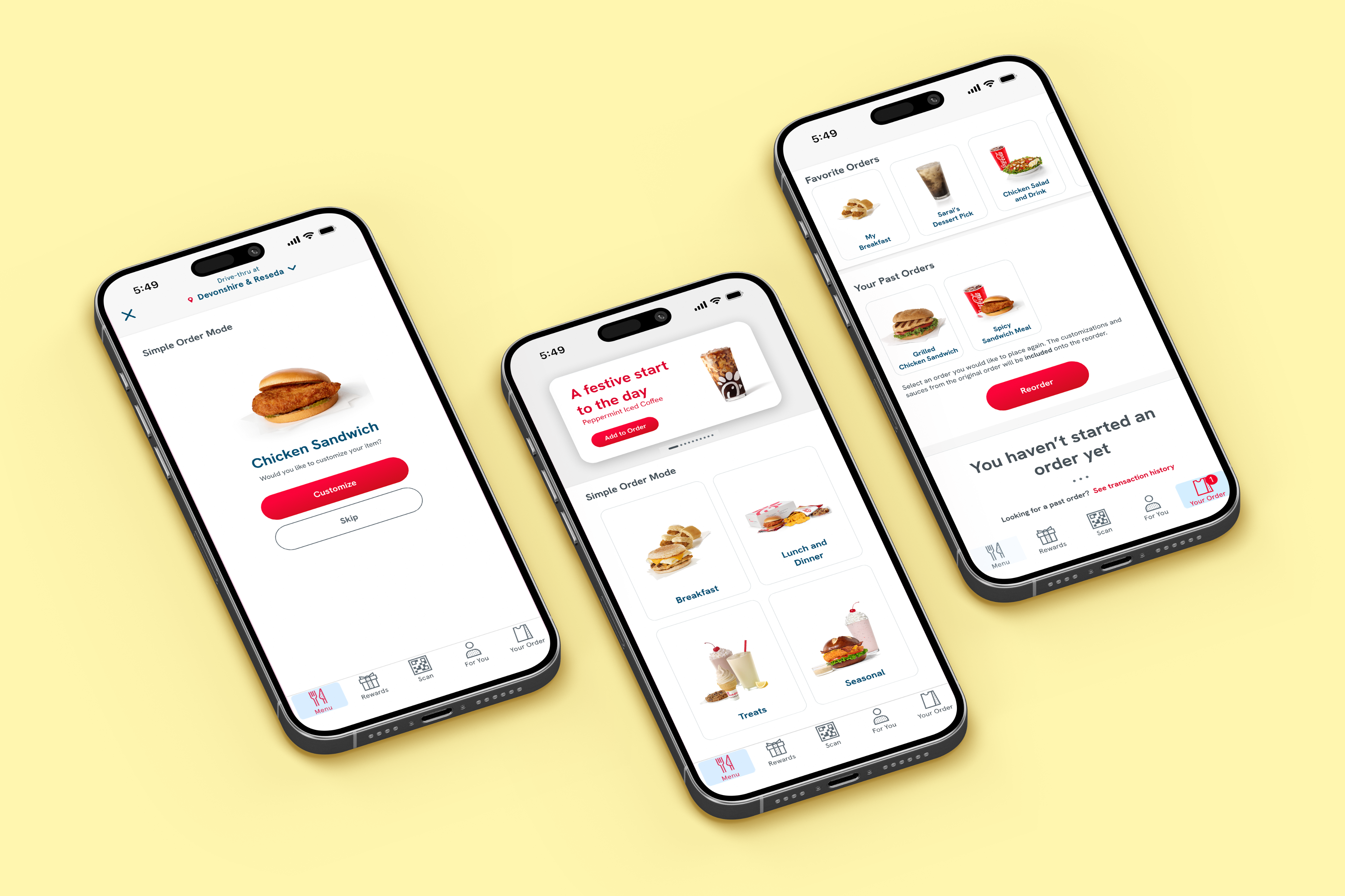
image of phones displaying a new feature on the Chick-Fil-A app: simple order mode

Overview

Redesigned the Chick-fil-A app to improve accessibility for users with mobility limitations by simplifying the ordering experience, reducing steps, and enabling faster repeat orders through a “Simple Order Mode.”

Role

Lead UX/UI Designer

Project Scope

  • Wireframing
  • Branding
  • App Design

Problem

  • The current Chick-fil-A app creates friction for users with mobility limitations due to multi-step ordering flows, small touch targets, and repetitive interactions.
  • These barriers can make completing a simple order frustrating or physically difficult for some users.

Process:

  • User Research
  • User Flow
    • Showing reduced steps with reorder as an option.
  • Persona Development
  • Style Guide Research
  • Wireframing
  • Prototyping

User Flow:

Research

  • Key Insights
    • Small touch targets and multi-step flows create friction for users with limited mobility
    • Repetitive interactions increase physical effort and reduce usability
    • Low contrast and small text sizes impact accessibility for low-vision users

This persona guided design decisions by emphasizing the need to reduce physical effort and simplify repeated interactions.

Persona:

  • Name: Lilly Thompson
  • Age: 22
  • Background: Senior in College, mobility issues
  • Goals: using items with as little steps as possible
  • Frustrations / Pain Points: repeated hand movements make mobility harder/reduces phone usage due to movement issues
  • Relevant behaviors or habits: enjoys being outside of the house, enjoys using deals, uses apps for most purchases
  • Why this user needs your new feature: Struggles with hand mobility, the screens are too many steps for a meal.

Design Solution: Simple Order Mode

Feature Description

  • Addresses those with mobility issues.
  • It simplifies the ordering process for those with mobility issues. It makes buttons bigger, screens simpler, and reordering one tap of a button.

User Scenario

  • A user will use the app, turn it into simple mode, and make their first order. The screens will be simplified to make a meal or pass on sides instead of just ordering a single entree through a different screen. Meant to be used for people who are ordering a single meal for themselves.
  • They also will be able to save meals, press reorder with one tap of a button and have locations or delivery auto set.

This solution improves accessibility by minimizing repeated interactions and simplifying navigation, making the app more usable for a wider range of users.

Wireframing

  • Home Page
    • Added a new button for reorder
      • Reduces repeated interactions and simplify the ordering process for users with limited mobility.
  • Your Order Page
    • Features past orders and favorited orders, so people can easily order.
    • Aids those with mobility issues by requiring less steps to order their food.
  • Order Screen
    • Shrank the header image to 1/3 of the screen to prevent scrolling for those creating a new order.
    • Instead of rows, categories are now tiles with images to easily see items.
    • Tiles show images for people who may have low vision and are unable to read the text.
    • Opt out of scrolling through customization options with one click.
this is an image demonstrating the before and after of the chick-fil-a app home page, with arrows pointing to a new button added to make it easy to reorder.
an image showing the before and after of the "your order page" with a new look that features old orders and favorite orders, making it easier to reorder.
an image showing a new version of the order screens. it shrinks the slider to 1/4 of the page instead of 1/2 like the original. Simple order screen simplifiles the screen to 4-8 button for screens

Home Page

Your Order

Page

Order Screen

Finished Product

Branding/Design System

The Design System

Chick-Fil-A UI Design system was referenced to recreate the UI for the Chick-Fil-A one app. The reference was a portfolio piece by AK Product Design.

image of chick fil a branding
chick fil a UI styles

Impact

Chick-Fil-A Simple Order Mode allows users to

  • Navigate screens with ease, with minimal hand movement and scrolling
  • Transition in and out of simple order mode to allow usage for users of all kinds
  • Simplifies the process of ordering for a person that may have trouble navigating.
  • Streamlined repeat ordering into a single interaction

Reflections / Considerations

This new feature that I created for the Chick-Fil-A app allowed me to understand an app from another user’s perspective. I was able to create a new feature and stick to the UI that currently exists within the app.

This project strengthened my ability to design for accessibility and adapt existing design systems to support a wider range of users.

Back to Top